Today we will work on our Still Life pictures in Photoshop.
Desaturate, Adjust Levels, Dodge, Burn, Crop and use the Clone tool as needed to create 3-5 Final Still Life Photographs.
Due today.
Thursday, November 29, 2018

Tuesday, November 27, 2018
Still Life Photography
Today we will set up and photograph a Still Life photograph using various objects and lighting.
In a Still Life photograph you have complete control over the composition, lighting, and exposure settings of the picture.
It does not have to be composed of a lot of things. A single object that is dramatically lighted is sometimes the best way to go.
You need to take the foreground and background into consideration as well. Choose a dark backdrop or textures in your picture as well.
You can focus on close ups and details....

or use Shallow Depth of Field

or capture the entire object with dramatic shadows....

or set up an interesting composition...


Use shadows and repetition

or use even lighting
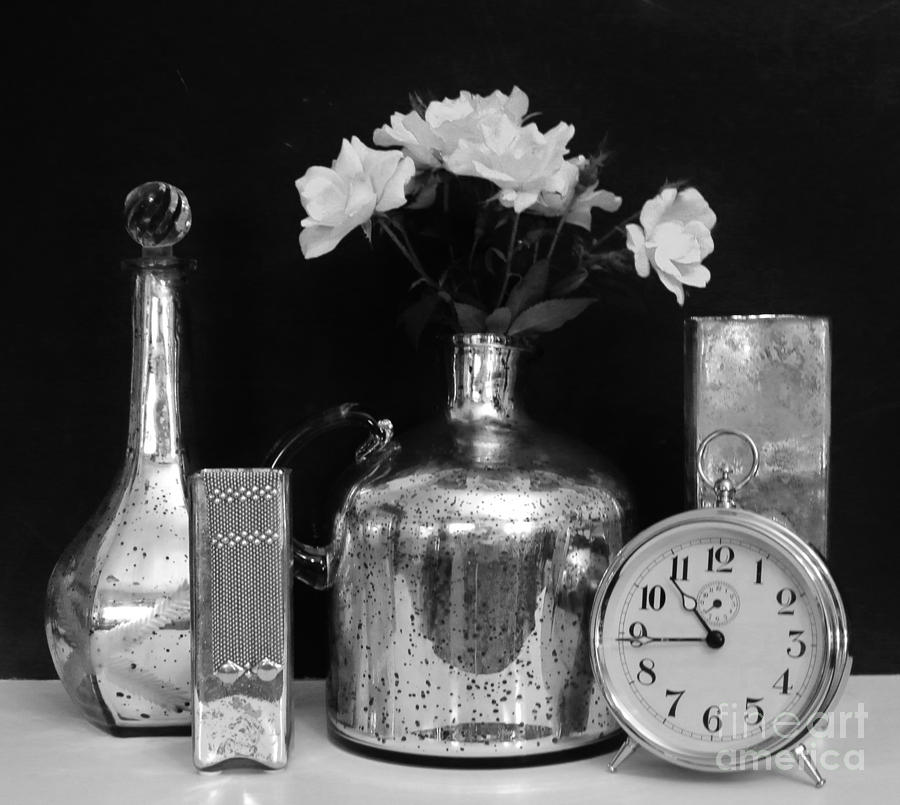
In a Still Life photograph you have complete control over the composition, lighting, and exposure settings of the picture.
It does not have to be composed of a lot of things. A single object that is dramatically lighted is sometimes the best way to go.
You need to take the foreground and background into consideration as well. Choose a dark backdrop or textures in your picture as well.
You can focus on close ups and details....
or use Shallow Depth of Field
or capture the entire object with dramatic shadows....
or set up an interesting composition...
Use shadows and repetition
or use even lighting
Friday, November 16, 2018
Present Your Work and Critique
Today we will present our work from Garrison Springs and briefly point out 1 positive thing and one thing you might improve upon in your photos.
Use the proper photography vocabulary....don't just say something is good or bad, tell us why!
Please pay attention to each other and be respectful!
Use the proper photography vocabulary....don't just say something is good or bad, tell us why!
Please pay attention to each other and be respectful!
Monday, November 12, 2018
Write 2 Critiques
Today you will write TWO thorough critiques using the Critique Guide.
1. the first will be a critique of one of your pictures from field trip. Include a copy of the picture with your critique.
2. The second will be a critique of one of your classmates pictures from the field trip. Include the picture.
Here is a good example of a written critique:
http://jessicamphoto13afall16.blogspot.com/2016/09/personal-critique-of-ozark-square.html
1. the first will be a critique of one of your pictures from field trip. Include a copy of the picture with your critique.
2. The second will be a critique of one of your classmates pictures from the field trip. Include the picture.
Here is a good example of a written critique:
http://jessicamphoto13afall16.blogspot.com/2016/09/personal-critique-of-ozark-square.html
Cropping Photographs
There are many times, in fact most times, when you will want to Crop a picture you take. to crop means to cut out the areas of a picture you do not want. it is used to help create a definite focal point, or point of interest, and can also be used to adjust your picture so that it complies with the Rule of Thirds.
Tools used:
Crop Tool
Ratio
View menu
Ratio
View menu
I will give a demonstration of these tools in class, and you can find a detailed tutorial at the site below:
Your task today is to select 1 photo you have taken and crop them according to the Rule of Thirds.
You may choose the Ratio, but state which Ratio you have chosen in the blog post.
Include the original version of the Photograph.
Here is an example below.
Cropping Assignment
Original Uncropped

Cropped . Original Ratio, Rule of Thirds

You may choose the Ratio, but state which Ratio you have chosen in the blog post.
Include the original version of the Photograph.
Here is an example below.
Cropping Assignment
Original Uncropped

Cropped . Original Ratio, Rule of Thirds

Edit and Post Your Garrison Springs Images
Download, Edit, and Post the Garrison Springs Pictures from the field trip.
Crop, De-saturate and adjust Levels to get the best possible image.
Your pictures should include 3 examples each of:
3 Nature Scenes including 1 landscape
3 Natural Details - either Close ups or Textures
4 additional pictures of your choice from the field trip
Pick one of the pictures and write a thorough critique in a new blog post


Crop, De-saturate and adjust Levels to get the best possible image.
Your pictures should include 3 examples each of:
3 Nature Scenes including 1 landscape
3 Natural Details - either Close ups or Textures
4 additional pictures of your choice from the field trip
Pick one of the pictures and write a thorough critique in a new blog post
Monday, November 5, 2018
Ansel Adams - Scholastic Magazine
Next class is our field trip. We will take a bus to Garrison Springs to take pictures of nature.
So, this morning. we will take another look at Ansel Adams. Adams was one of the most influential and well known photographers of all time.
As you read about him pay attention to the Levels of Value in his photography. He perfected the style of achieving a full and dramatic range of dark, middle, and light tones in his work.
Now, with Photoshop, we do in a few minutes what took hours for Adams to accomplish.
Make sure to write the questions from the worksheets on your blog post.
Title the post - Ansel Adams - Scholastic Magazine
So, this morning. we will take another look at Ansel Adams. Adams was one of the most influential and well known photographers of all time.
As you read about him pay attention to the Levels of Value in his photography. He perfected the style of achieving a full and dramatic range of dark, middle, and light tones in his work.
Now, with Photoshop, we do in a few minutes what took hours for Adams to accomplish.
Make sure to write the questions from the worksheets on your blog post.
Title the post - Ansel Adams - Scholastic Magazine
Thursday, November 1, 2018
Add and Remove Things From a Picture You have Taken
Using the Clone/Stamp Tool, REMOVE at least 1 thing and ADD another. Use a picture that you have taken.
...look at the examples below
Original Photo


...look at the examples below
Original Photo

Retouched Photo

Retouching Using the Clone-Stamp Tool
Today we will work with a couple of tools to help improve minor imperfections in our photos.
Download the 2 photos below, retouch them, and upload the before and after pictures to your blog.


Download the 2 photos below, retouch them, and upload the before and after pictures to your blog.


Subscribe to:
Comments (Atom)
-
Today you will take pictures using the Rule of Thirds. You will need to post 6 examples of the Rule of Thirds to your blog. For each exampl...
-
The next Element of Exposure we will explore is Shutter Speed . Shutter Speed is - The amount of TIME you let light into the camera. ...
-
Examples of Design Principles in Photography Texture - Take a Close-up pic to capture rough, smooth, cracked, bumpy, etc Variety - Tak...


